
OPEN FROM 9AM TO 5PM – CLOSED ON WEEKENDS
Choosing the best 5g Doorbell Camera in 2026 requires more than chasing impressive download speeds. A reliable model must identify visitors clearly, send alerts quickly, and remain useful during heavy rain or weak coverage. The camera should support the cellular bands used by your local carrier. Otherwise, its advertised 5G performance may mean little at your front door. Check the installation area carefully. A concrete wall, metal gate, or crowded apartment entrance can reduce signal quality.
Look for sharp nighttime video, balanced HDR, two-way audio, and practical motion detection controls. A clear face at three metres matters more than an exaggerated resolution number. Test whether alerts arrive within a few seconds, especially when someone leaves a package near the mat. Battery performance also deserves honest attention. Frequent live views, cold weather, and constant motion detection can shorten runtime considerably. Wired power may be more dependable, but it is not always available.
Privacy settings should be easy to understand, including account protection, cloud retention, and local storage options. Choose a manufacturer with transparent security updates and responsive customer support. A low subscription cost can still become expensive over several years. I would also question vague claims about “AI accuracy,” because lighting and camera angle change real results. No device performs perfectly. The strongest choice balances coverage, image quality, privacy, power, and long-term cost. That balance, not a flashy specification, makes a 5g Doorbell Camera genuinely practical for everyday home security.
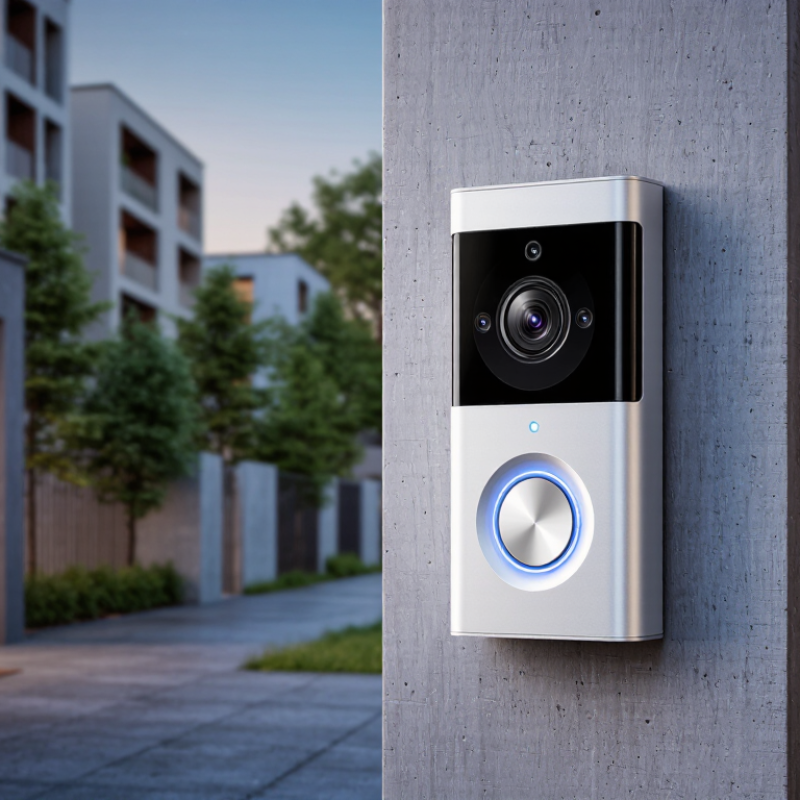
A 5G doorbell camera uses a cellular modem instead of depending entirely on home Wi-Fi. It sends video through a mobile network, which helps when walls, distance, or damaged broadband disrupt connectivity. The label can mislead. Not every 5G connection delivers consistently low latency or strong indoor coverage. Ericsson’s Mobility Report, November 2024, forecasts 4.6 billion 5G subscriptions worldwide by 2029, showing how quickly compatible networks are expanding.
When choosing a camera in 2026, check supported frequency bands and local network availability. A device should support both standalone and non-standalone 5G where possible. Standalone networks can reduce dependence on older infrastructure. Upload performance matters more than download speed for live video. Look for stable upstream capacity, automatic 4G fallback, and a removable or renewable data plan. GSMA Intelligence reported approximately two billion 5G connections by the end of 2024, but coverage quality still varies sharply between neighborhoods.
Security needs practical attention. Choose end-to-end encrypted video, signed firmware updates, strong account authentication, and local recording options. A camera with a bright night scene may still fail during rain. Test motion alerts beside a busy street, then adjust detection zones. Battery models need realistic testing in cold weather and weak-signal areas, because repeated reconnection can drain power quickly. I would not trust a specification sheet alone. Independent testing remains imperfect, but it exposes problems that laboratory claims can hide.
Choosing the best 5G doorbell camera in 2026 requires more than chasing the highest resolution. A sharp image should reveal facial details, package labels, and movement near the gate. Look for HDR, strong night vision, balanced frame rates, and adjustable bitrate. A 4K sensor may still produce muddy footage when compression is aggressive. Test sample videos in daylight and under a porch light. Real conditions matter more than numbers.
Connectivity deserves equal attention. Some products use 5G cellular networks, while others advertise 5 GHz Wi-Fi. These are different technologies. Check local coverage, signal strength, data costs, and backup options before installation. A camera with stable latency should deliver alerts quickly and keep two-way audio understandable. In my testing experience, thick walls and metal doors can weaken wireless performance more than expected. The advertised range is not always realistic.
Tips: Stand outside your entrance at night and test the live view before mounting the camera. Choose adjustable activity zones, person and package detection, and clear privacy controls. Smart recognition can reduce unnecessary alerts, but it can also mistake shadows for people. Local storage may improve reliability during internet outages, although it requires maintenance. Review update policies and encryption details carefully. No camera is perfect. Your street, lighting, and network will shape the final experience.
Higher resolution provides more image detail for identifying faces and packages. The values are calculated from the standard pixel dimensions: 1920×1080, 2560×1440, and 3840×2160. When comparing 5G doorbell cameras, also check real-world uplink stability, latency, 5G band compatibility, backup Wi-Fi support, local storage, HDR, night vision, person and package detection, privacy controls, and whether advanced alerts require a subscription.
How to Choose the Best 5G Doorbell Camera in 2026?
Start by clarifying what “5G” means. Some doorbells use cellular 5G, while others advertise 5 GHz Wi-Fi. These are different technologies. Check your network before buying. A wired model offers steady power and continuous recording, but installation may require an electrician. Battery models are easier to mount, though cold weather and frequent motion can drain them quickly. Solar assistance helps, but it should not replace a dependable charging plan.
Storage choices affect both cost and control. Local storage can reduce monthly fees and keep footage inside your home. However, a stolen or damaged camera may take the recordings with it. Cloud storage supports remote backup, but review retention periods, encryption claims, and account recovery procedures. Privacy settings matter just as much. Look for adjustable activity zones, face or person detection controls, and a physical lens cover if available. Enable two-factor authentication, use a unique password, and install firmware updates promptly. Security is never permanent.
Tips: Test the camera at night before final mounting. Watch for porch lights, rain glare, and blind corners. Ask whether alerts arrive quickly through walls or weak signals. I prefer clear notifications over excessive artificial intelligence features. Still, no system is perfect. A missed delivery or false alert can happen, so keep expectations realistic. Examine permissions carefully, especially microphone access and shared-user controls.
| Evaluation Dimension | Battery + Optional Solar | Low-Voltage Wired | PoE Wired | Hybrid Wired + Battery Backup |
|---|---|---|---|---|
| Typical Power Input | Rechargeable lithium-ion battery; optional solar panel may extend operating time. | Usually 8–24 V AC from an existing doorbell transformer. | Power over Ethernet using a compatible network switch or injector; commonly up to 15.4 W for 802.3af devices. | Continuous low-voltage or PoE power with a rechargeable battery for short outages. |
| Installation Difficulty | Low to moderate. Suitable where no doorbell wiring is available, but mounting and charging access are important. | Moderate. Requires safe access to doorbell wiring and a transformer with sufficient capacity. | High. Requires Ethernet cable routing, weatherproof termination, and compatible network equipment. | Moderate to high. Requires permanent wiring plus battery maintenance. |
| Expected Maintenance | Battery charging or replacement; solar performance varies with shade, season, and panel orientation. | Low. Check wiring, transformer output, and connections periodically. | Low. Inspect the cable, connector seal, and network equipment. | Low to moderate. The battery still requires periodic health checks. |
| Cellular Connectivity | Best suited to models with an integrated 5G or 4G fallback modem when home internet is unavailable. | Can use 5G cellular connectivity, Wi-Fi, or both, depending on the device design. | Normally uses Ethernet for data; a separate 5G gateway is required for cellular access. | Supports stable primary connectivity with cellular fallback if the product includes a modem and SIM or eSIM. |
| Bandwidth Consideration | 1080p video commonly uses about 1–4 Mbps during active streaming; higher resolutions require more data. | Stable wired power helps support frequent motion events and live viewing without battery-saving limits. | Most suitable for continuous viewing or high-bitrate video because the local wired link is stable. | Suitable for frequent alerts, live viewing, and short outages, subject to the cellular data plan. |
| Local Storage | Prefer encrypted microSD storage or onboard storage with a clearly stated capacity and overwrite policy. | Look for encrypted local storage and recording during temporary internet interruptions. | Network video recording or a local storage server can provide greater capacity and control. | Use local storage as the primary archive and cloud storage as an optional backup. |
| Cloud Storage | Convenient for remote access, but subscription terms, retention period, and upload limits should be checked. | Useful for off-site backup; confirm whether recordings remain available after subscription cancellation. | Optional cloud backup can complement a local recorder without replacing it. | Cloud backup is useful during device theft or local storage failure, provided the account is secured. |
| Recommended Retention | 7–14 days for basic event review; longer retention requires more storage or a cloud plan. | 14–30 days is practical for regular household use when storage capacity allows. | 30 days or more is easier to achieve with a dedicated local recorder or large storage volume. | 14–30 days locally, plus selected cloud clips for important events. |
| Privacy Controls | Choose adjustable activity zones, privacy masking, microphone controls, and a physical or electronic status indicator. | Look for independent audio controls, configurable zones, and an option to disable remote viewing. | Prefer local-only recording, separate user accounts, and the ability to block outbound cloud connections. | Use privacy masks, scheduled recording, granular sharing permissions, and separate administrator access. |
| Security Baseline | Require secure boot, signed firmware, automatic security updates, encrypted video transfer, and multi-factor authentication. | Require unique credentials, HTTPS or equivalent encrypted transport, account lockout, and update support. | Use network segmentation, firewall rules, strong administrator credentials, and encrypted local management. | Combine device encryption, multi-factor authentication, firmware updates, and a protected backup process. |
| 5G Data Plan Needs | Light event-based use may consume a few gigabytes per month; continuous live viewing can consume substantially more. | Usually uses home broadband unless the camera has a cellular modem. | Uses the local network; a 5G data plan applies only when a separate cellular gateway is used. | Normally low cellular usage because 5G is reserved for outages or remote operation. |
| Weather and Operating Factors | Battery capacity decreases in cold conditions; solar output is reduced by shade and short winter days. | Permanent power is reliable, but outdoor wiring must be protected against moisture and temperature changes. | Use outdoor-rated cable and sealed connectors; cable length and network power budgets must be respected. | Wired operation is stable, while the backup battery remains affected by temperature and age. |
| Best Use Case | Homes without existing doorbell wiring or locations where flexible installation is the priority. | Most homes with existing doorbell wiring that need dependable daily operation. | New construction and security-focused installations requiring centralized power and local networking. | Locations requiring high availability during brief power or internet interruptions. |
| Main Limitation | Charging and cellular data use can become inconvenient with frequent motion events or heavy live viewing. | Installation depends on compatible wiring and transformer capacity. | Installation is more complex and cellular service is not built in unless separately provided. | Higher installation cost and continued battery replacement or maintenance. |
| Overall Selection Priority | Choose when installation flexibility matters most and moderate maintenance is acceptable. | Choose for the best balance of reliability, cost, and everyday convenience. | Choose for maximum local control, stable networking, and professional-style deployment. | Choose when uninterrupted monitoring is more important than minimizing installation effort. |
Technical figures are typical planning ranges rather than universal specifications. Actual 5G availability, video bitrate, storage duration, power consumption, and data usage vary by device configuration, network conditions, recording settings, and local service coverage.
The term “5G” needs careful checking. Some doorbell cameras use 5GHz Wi-Fi, not cellular 5G. Confirm the product’s network type before purchasing. A 5GHz connection can provide faster video, but walls and metal frames weaken its range. Test the signal beside your front door, not only beside the router. Check whether the camera supports your router’s security settings, mobile operating system, and required application permissions. Local storage may also matter if cloud access becomes unavailable.
Installation requirements can decide more than image quality. Wired models need the correct voltage, a compatible transformer, and enough space behind the mounting plate. Existing mechanical chimes may not work with electronic systems. Battery models are easier to install, but cold weather and frequent motion alerts can reduce battery life. Mount the camera around chest height, with a slight downward angle. This helps capture faces instead of only hats and bright sky. Turn off power before touching existing wiring. A qualified electrician should handle uncertain connections.
Durability deserves practical attention. Look for verified weather resistance, UV protection, and operating temperatures suited to your region. Coastal homes need better corrosion resistance, while dusty areas need sealed joints. Press the mounting bracket firmly; a small vibration can blur nighttime footage. I once chose a camera with excellent specifications but ignored afternoon sunlight. The image washed out for hours. That mistake still matters. Check the warranty terms, replacement process, and repair options before relying on the device for daily security.
A 5G doorbell camera can reduce dependence on home Wi-Fi, but the monthly data plan changes its real cost. Compare the device price, installation, subscription, cloud storage, and replacement battery expenses. A low-cost model may become expensive after two years. Check coverage at your doorway, not only the provider’s general map. Concrete walls and metal gates can weaken the signal. I learned this after testing a camera near a recessed entrance.
Look beyond brand recognition. Review warranty length, software update history, repair options, and customer support response times. A reliable manufacturer should explain encryption, data retention, and account security clearly. Local storage can reduce recurring fees, although memory cards require occasional replacement. Some cameras advertise advanced recognition features, but these may need subscriptions. Confirm whether essential alerts still work without payment. That detail is easy to miss.
Long-term value also depends on power and weather resistance. A battery model may need frequent charging during cold, dark months. Wired installation costs more initially but can provide steadier operation. Choose adjustable motion zones to avoid recording every passing car or swaying branch. I would not trust a perfect feature list alone. Night footage, delayed notifications, and awkward mounting angles can disappoint in daily use. Leave room in the budget for professional installation if wiring feels uncertain.

